Innago Review: What 'Free' Actually Costs (2026)
Innago is free for landlords; tenants pay $2 per ACH payment or 2.99% on cards. Full fee math, payout-speed findings and complaints, verified 6 Nov 2026.
Innago is free property management software that shifts the bill to the tenant side: $0 a month for landlords, no setup fee, no contract, no unit cap, while tenants pay $2 per ACH rent payment or 2.99% on cards and applicants pay $30–35 for screening. For 1–10 units it is the strongest deal on our small-landlord shortlist. Its single biggest problem is payout speed: Innago’s FAQ promises funds in one to two business days, but first payments, new payment methods and failed payments sit for three, and users report three to four.
Disclosure: Landlord Method doesn’t earn a commission from Innago — no affiliate program exists on this site. Every fee below comes from Innago’s help center and FAQ, read 6 November 2026; the screening tier split comes from the help center’s tenant screening settings and fees article, read 9 November 2026.
Quick answer
| The deal (verified 6 Nov 2026) | |
|---|---|
| Pricing model | Free for landlords: no monthly fee, no setup fee, no contract, no unit cap. Innago monetizes the tenant side |
| Fees tenants and applicants pay | ACH $2 per payment, card 2.99%, screening $30–35 (Experian) plus $10 income verification (Plaid) |
| Who pays what | Tenants and applicants by default; the landlord can absorb the ACH or card fee in account settings, or both |
| Payout speed | Innago says 1–2 business days; first payments, new funding sources and post-failure payments are held 3 business days. Users report 3–4 |
| Portfolio fit | 1–10 units: strongest. 10–50: depends on how you keep books. 50+: reporting depth gets thin — see Buildium |
| Strongest features | E-signed leases, automatic late fees, maintenance tickets, syndication to the Zillow and Realtor.com networks, in-platform deposit returns |
| Main tradeoffs | Multi-day deposits, a bounced-e-check risk, PDF exports that fight your accountant, and an interface that buries settings |
What Innago actually costs
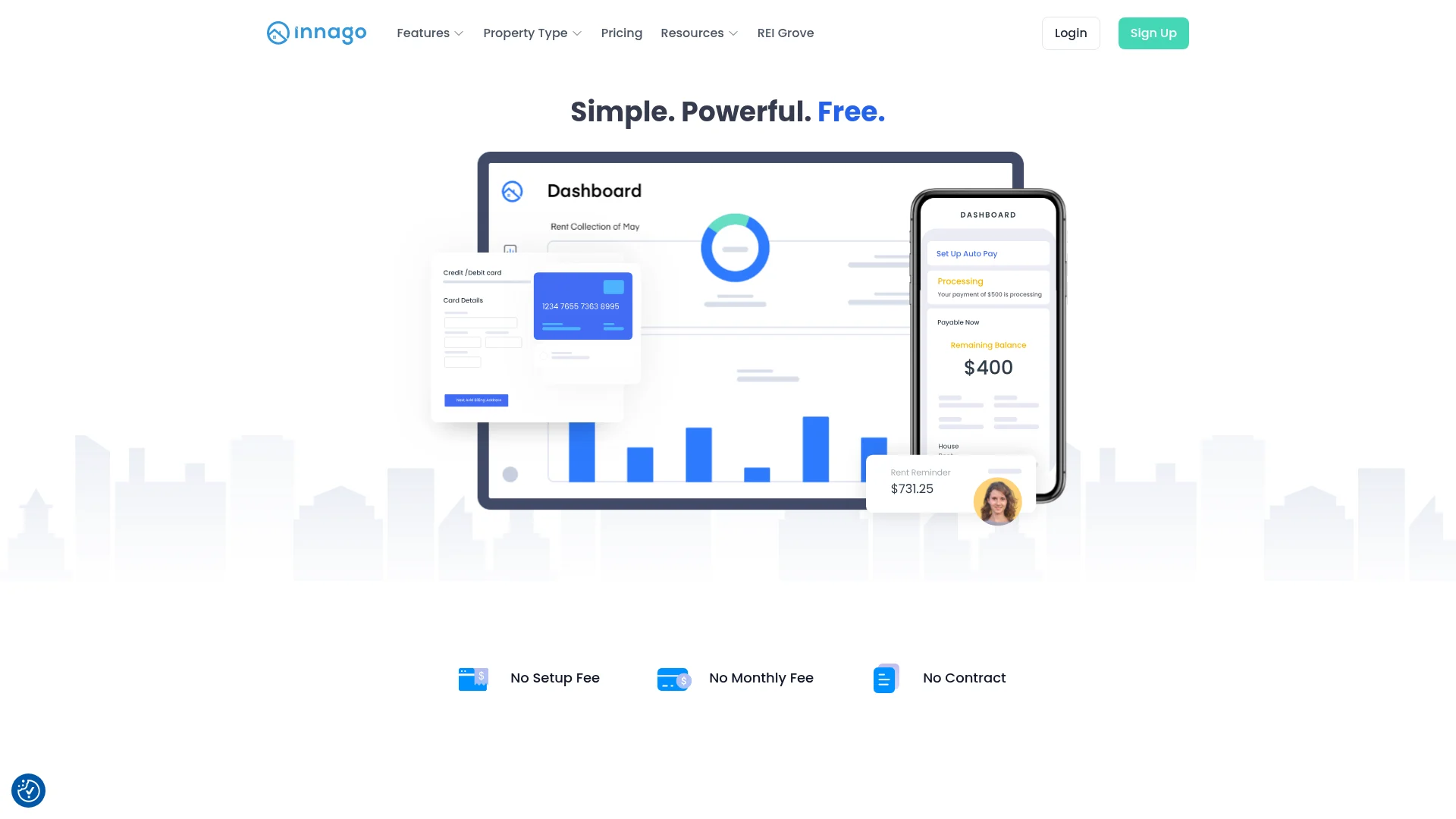
As of 6 November 2026, the landlord’s invoice is zero: the help center states “Innago costs nothing for landlords to use,” and the pricing page adds no monthly fee, no setup fee, no contract. There is no paid tier today. That separates it from TurboTenant, the other free platform, which gates features behind an annual Pro plan.
The money comes from transaction fees charged to tenants and applicants:
- ACH bank transfer: $2 per payment; credit or debit card: 2.99% per payment — both paid by the tenant. On $1,200 rent that is $2 versus $35.88, so tell your tenants which to pick.
- Screening: $30 per applicant for credit and criminal reports, $35 with the eviction report added (Experian), with income verification adding $10 via Plaid. All applicant-paid.
Both payment fees are tenant-paid by default; the help center confirms landlords can absorb either payment fee in account settings (screening stays applicant-paid — there is no way to pay an applicant’s fee for them). What absorbing would cost, at a $1,200 average rent with every tenant paying monthly (verified 6 November 2026):
| Units | Tenant-paid ACH (you pay $0) | Tenant-paid cards (you pay $0) | If you absorb ACH | If you absorb 2.99% cards |
|---|---|---|---|---|
| 5 | $10/mo — $120/yr | $179/mo — $2,153/yr | $120/yr | $2,153/yr |
| 10 | $20/mo — $240/yr | $359/mo — $4,306/yr | $240/yr | $4,306/yr |
| 20 | $40/mo — $480/yr | $718/mo — $8,611/yr | $480/yr | $8,611/yr |
| 50 | $100/mo — $1,200/yr | $1,794/mo — $21,528/yr | $1,200/yr | $21,528/yr |
Absorb the card fee at 50 units and you are donating $21,500 a year to your tenants’ convenience — more than Buildium costs. The tenant-paid default costs nothing — the reason Innago stays free where TenantCloud starts at $180 a year. Whether fee-shifting is fair depends on your market: vacancy-tight cities pay the $2 without blinking; soft markets hand applicants a reason to pick the competitor’s unit. Run your own unit count through the true-cost calculator.
The payout-speed problem
Innago’s own FAQ, read 6 November 2026: “In most cases, you can expect your funds within one to two business days.” Payments process Monday–Friday, 9am–5pm EST; anything submitted after 5pm starts the next business day. Three situations earn a 3-business-day hold: the tenant’s first-ever payment, the first use of a new funding source, and any payment following a failure.
That published promise is more conservative than the “single business day funds delivery” on one of Innago’s own marketing pages, and faster than what users report. On Capterra, a reviewer under the heading “A good place to Start” writes: “The processing time to receive payments is long. For instance if a payment is made Friday after hours it’s not received until Tuesday.” Owner Michaela C. writes: “every time my renter’s pay with a new payment method, they hold the payment for multiple days.” On G2: “The processing of payments takes 3 days every time… e-check which can bounce.” And a five-star Trustpilot review from 26 October 2026 still notes “The payments do take several days to process” — the complaint appears inside praise, which is how you know it is structural.
The math explains the Friday-to-Tuesday case: a payment submitted Friday after 5pm starts processing Monday, so the 1–2 day claim counts business days from Monday while your bank balance sits through a four-day weekend.
Two adjacent risks. ACH payments ride on e-checks, and a payment can fail days after it looked pending — Innago debits the funds back out of your account and re-opens the invoice, late fees included. A $25 failed-payment fee hits the tenant, waived if fixed within 24 hours. And Innago’s answer to slow cash flow is Accelerent: next month’s rent early, for a 1% fee — a product, not a fix.
Rent collection, screening and the tenant side
Rent collection is the core: one-time or recurring invoices, tenant-side autopay, and rent reminders on a schedule. Automatic late fees live in lease settings — a grace period plus a flat or percentage amount — applied automatically, with per-fee waivers by hand. Whether to move tenants off checks and Zelle at all is a separate decision from which app runs it, and we compared the four ways landlords get paid before settling on a tool.
Offline payments are logging-only: cash, check or money order gets recorded on the Income page as a manual payment (Cash App or Zelle goes under the “check” method, per the help center). A manual ledger entry is not collected funds.
Applications and screening run through the same free account: custom application templates, applicant-paid reports ($30, or $35 with eviction), and the optional $10 income verification pulling bank or payroll data through Plaid. Reports usually return in minutes. But two 2026 reviewers report clean screens that public records contradicted: a G2 reviewer found applicants “did indeed have a criminal record or failure to pay rent,” and an October 2026 Trustpilot reviewer managing Charlotte rentals writes that “clean” leads “actually had prior evictions and criminal histories when my team pulled the state court records.” Innago is the middleman, not the bureau; the cheap screen should not be your only check on finalists — the screening services compared run $25 to $55 for a complete report depending on who pulls it, and the human-reviewed one reads the court files.
Listing syndication pushes vacancies to the Realtor.com network (Realtor.com, Doorsteps), the Zillow network (Zillow, Trulia, HotPads — Zillow Feed Connect required at 25+ listings), the Zumper network and RentalSource, per Innago’s help center on 6 November 2026.
The tenant side gets a portal and mobile apps for paying, maintenance requests and messaging. One detail worth more than it sounds: Innago handles security-deposit returns inside the platform — a six-year Trustpilot reviewer (July 2026) called it a major reason they switched — while most free competitors make you refund deposits through your bank.
Leases, maintenance and what “free” leaves out
Innago covers the leasing workflow well: state-specific lease templates with e-signing, plus uploading your own lease or addenda for signature. Renewals are the friction point — a G2 reviewer notes you “can’t just keep current terms and do a rent increase,” so a mid-term rent change means issuing a new lease and editing invoices afterward.
Maintenance requests arrive as tickets tenants submit from the app, with status updates. Expense tracking logs income and expenses per property and syncs to QuickBooks Online, mapping properties as Customers or Classes — bookkeeping-lite: real entries and a real export, but no double-entry accounting, no bank reconciliation and no trust accounting.
Reporting is where “free” shows its seams. An October 2026 Trustpilot reviewer managing Charlotte rentals writes that the platform “won’t export a clean PDF ledger, which kills my accountant’s time at the end of the month.” Without a clean ledger export, someone rebuilds the books by hand at each month’s end. Support is phone, email and live chat on weekdays 9am–5pm EST — reviewers call it fast and personal — but a Capterra reviewer notes reaching your designated contact “can take a few days.”
Where Innago is weak
- Payout lag. 1–2 published business days, 3-day holds on first payments and new funding sources, 3–4 days in practice — the deal-breaker candidate if you time mortgage payments off rent deposits.
- E-check bounce and clawbacks. A pending ACH can fail days later, reversing funds out of your account and re-opening the invoice.
- Setup tedium. Bank-verification micro-deposits and first-payment holds slow the first month; several reviewers say it delayed their first rent.
- Interface depth. Settings are nested in ways six-year users still call confusing.
- Reporting exports. No clean PDF ledger, no owner statements, nothing you would hand a CPA without rework.
- Screening depth. Clean reports on applicants whose public records showed criminal history, unpaid rent or prior evictions, per two independent 2026 reviews (G2; Trustpilot, October). Run your own court-records check on finalists.
- Lease-change friction. Rent increases require a new lease rather than an amendment to current terms.
None of these are disqualifying at small scale, and every free platform makes tradeoffs — TurboTenant’s are worse on support and accounting, Avail’s show up in per-unit pricing. Leaving a paid platform instead? See our guide to Buildium alternatives.
Is Innago right for you?
1–10 units: the best deal available. Full leasing, payments, screening and maintenance tooling at $0, with deposit returns included. A landlord at this size loses nothing that matters and saves $180–780 a year against the cheapest paid plans.
10–50 units: fit depends on your books. The tenant-paid default still costs you nothing, and even absorbing ACH fees runs $480 a year at 20 units — more than TenantCloud’s $180, well under Buildium’s $780 floor and Avail Plus’s $2,160 — yet at this scale you want bank reconciliation and reports a CPA can use without hand-editing. If your accounting already lives in QuickBooks, Innago’s sync covers the essentials.
50–250 units: the reporting and trust-accounting gap starts to cost real time. No trust accounting, no owner statements, PDF exports your accountant will bill you to untangle. At that scale, look at Buildium and price the difference honestly — it is usually smaller than the hours lost.
Innago vs the alternatives
TurboTenant is the other fee-shifting free platform: $0 for landlords and a $2 tenant ACH fee that match Innago line for line. The edges differ — cards cost 3.49% versus 2.99%, screening runs $55 versus $30–35, and real accounting plus phone support sit behind a $199/yr Pro plan. Between the two free platforms, the screening price is the tiebreaker for most landlords.
Avail is freemium rather than free: the $0 tier carries a $2.50 tenant ACH fee, and Unlimited Plus at $9 per unit per month buys next-business-day deposits and waives tenant fees. That is the direct fix if payout lag is your sticking point. At 10 units that runs $1,080 a year, where Innago’s multi-day wait starts looking tolerable.
TenantCloud is the cheapest subscription path: Starter runs $15/month billed annually and brings more accounting structure than either free platform. It is the natural upgrade once bookkeeping, not payments, becomes your bottleneck. One comparison to get right: TenantCloud’s $180 is landlord-paid, Innago’s ACH fees tenant-paid — the two never cross over as a cost to you. What grows with your rent roll is the fee burden tenants carry: about $192 a year across eight units.
RentRedi runs about $12–15/month with no free tier and a lighter feature set than Innago; its screening and reporting are thinner. It mainly competes on simplicity — a flat subscription that never scales with your rent roll — and its real audience is landlords who collect in person and want dead-simple mobile tools. We compared it head-to-head in our RentRedi vs TurboTenant breakdown, and the direct Innago vs RentRedi version covers leases, the tenant app and where the fees actually land.
Buildium is the opposite end of the market: from roughly $65/month you get full double-entry accounting, trust accounting and deep reporting, with the learning curve to match. It is the right comparison once you cross 50 units and reporting stops being optional. Its Trustpilot score (4.3) trails Innago’s 4.8, but nobody managing 100 units should choose on price alone.
FAQ
Is Innago really free?
Yes for landlords, verified against Innago’s FAQ on 6 November 2026: no monthly fee, no setup fee, no contract, no unit cap, all features at $0. Costs sit on the tenant and applicant side, and the landlord can optionally absorb the payment fees in settings.
How does Innago make money?
From the per-transaction fees tenants and applicants pay: $2 per ACH payment, 2.99% on cards, $30–35 per screening report plus $10 for income verification. Those fees scale with usage, so a larger portfolio pays Innago more even as the landlord’s invoice stays at zero.
What fees do tenants pay on Innago?
Tenants pay $2 per ACH payment or 2.99% on cards — $2 versus $35.88 on a $1,200 rent payment. Applicants pay $30 for credit and criminal screening or $35 with the eviction report added, plus $10 for income verification if the landlord enabled it. All are applicant-paid.
How long does Innago take to deposit rent?
Innago’s FAQ says one to two business days, processed on weekdays 9am–5pm EST. First payments, new funding sources and post-failure payments are held three business days, and reviewers report three to four in practice. A Friday-evening payment that starts processing Monday can land mid-week.
Is Innago good for small landlords?
It is the strongest free option for 1–10 units: the full feature set costs $0, tenant-paid fees are modest ($2 ACH), and support gets strong reviews. The tradeoffs that matter most — payout delays, thin reporting exports, no trust accounting — only become costly past roughly 50 units, where a paid platform earns its subscription.
Verdict
Verdict: 4.5/5
Innago is the default answer for a self-managing landlord with 1–10 units who wants professional tooling without a subscription, and a credible one up to 50 if you keep books in QuickBooks. It is the wrong tool past 50 units, where reporting depth and trust accounting stop being optional. Before inviting tenants, open account settings and confirm who pays the processing fees — the ACH and card fee-payer setting defaults to the tenant.